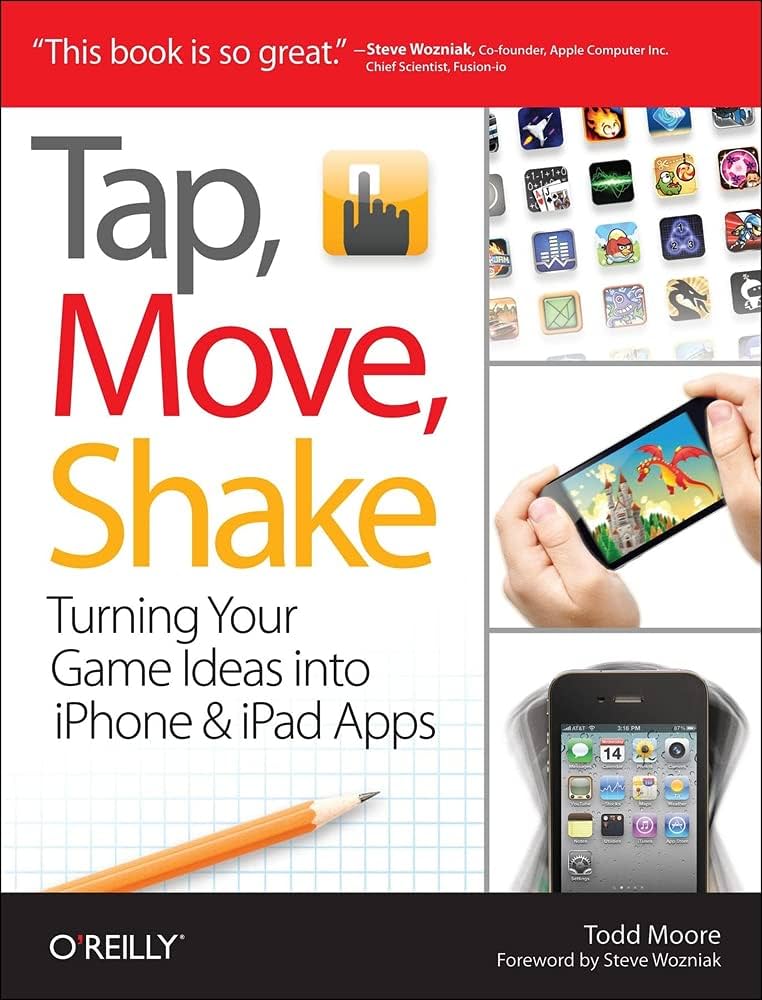
 Tap, Move, Shake
A Hands-on Guide to Creating Multi-touch Games with iPad and iPhone
“This book is so great.” –Steve Wozniak, Apple Co-founder
Got a great game idea? This complete do-it-yourself guide shows you how to make your game idea a reality for the iPhone and iPad. By developing a real game hands-on through the course of this book, you’ll get a thorough introduction to Xcode and Objective-C, while learning how to implement game logic, sophisticated graphics, game physics, sounds, and computer AI.
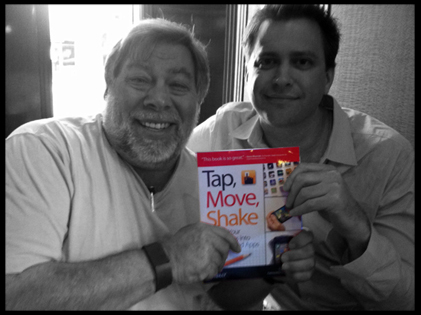
Steve Wozniak and Todd Moore
Purchase
Available at Amazon,
iBookstore,
Barnes & Noble, and O’Reilly Media.
App Store
– Download Paddles game which implements the classic game of pong in 20 lines of code.
– Download Air Hockey which demonstrates complex game logic, graphics, sounds, and computer AI.
Resources
Chapter 2 – Download the Paddles resources which includes the pong sound effects.
Chapter 3,5 – Download the Air Hockey resources which includes the graphics and sounds for Air Hockey.
Source Code (Xcode v6 with ARC) – Published on 6/2015
All Chapters – Download All ARC enabled code for all chapters in the book. The projects were all updated to work with Xcode 6 using Automatic Reference Counting (ARC). Now that this is the default for all new projects this is probably the best version to download. ARC is great because you no longer have to retain and release objects. This required enabling the project settings for ARC and removing any source code that referenced autorelease, release, retain, and dealloc.
Source Code (Xcode v6) – Published on 6/2015
All Chapters – Download All code for all chapters in the book. The projects were all updated to work with Xcode 6 but do not have ARC enabled so the code will look the same as it’s written in the book. The changes were mainly to the project itself to support the latest Xcode and fix a few compiler warnings. The minimum iOS target was also set to 4.3.
Source Code (Older Xcode v4)
Chapter 1: Introduction to Xcode – Download the Game code which asks math questions.
Chapter 2: Hello Pong – Download the Paddles code which implements the classic game of pong.
Chapter 4: Physics – Download the Touches code which draws circles around multiple touches.
Chapter 3-5: Graphics, Physics, Sounds – Download the AirHockey code which implements two player air hockey.
Chapter 6: Computer AI – Download the AirHockey+AI code code which adds 3 levels of computer difficulty.
I just bought the ebook.
Normally complete project code is made available with these books.
Do you have any plans on releasing completed code with project?
The completed code is now posted above. Thanks for the reminder!
Hi,
I love your book so far, I’m only in chapter 2, but I’m a bit stuck with the paddle game.
I am having problems with the following method:
viewDidLoad
the error is that both instances for Start and Reset seem to be missing, but I typed them there.
this is my viewDidLoad code:
- (void)viewDidLoad {

    [super viewDidLoad];

	// Do any additional setup after loading the view, typically from a nib.

    [self start];

    [self reset];

}
Code for Start and Reset is here:
- (void)reset

{

    // set direction of ball to either left or right direction

    if ((arc4random() % 2) == 0) dx = -1; else dx = 1;
// reverse dy if not 0 as this will send the puck to the
// player who just scored otherwise set in random direction
if (dy != 0) dy = -dy;
else if ((arc4random() %2) == 0) dy = -1; else dy = 1;
// move point to random position in center
viewPuck.center = CGPointMake(15 + arc4random() % (320 - 30), 240);
// reset speed
speed = 2;
}
- (void)start
{
if (timer == nil)
{
// create our animation timer
timer = [[NSTimer scheduledTimerWithTimeInterval: 1.0/60.0 target:self selector: @selector(animate) userInfo: NULL repeats: YES] retain];
}
// show the puck
viewPuck.hidden = NO;
}
I followed the instructions to the letter (or maybe not since I’m having problems)
I’m also using the latest Xcode version (free license).
I’d appreciate any and all help! thanks a lot!
Moving the reset and start methods above the viewDidLoad method will make the compiler happy again.
Hi Todd,
I just finished reading your book “Tap, Move, Shake”. It was a really good, quick, and fun introduction to iphone programming and using xcode. I purchased the kindle version so I could have it on my screen next to xcode as I worked through the chapters. I really like the way you guided the projects in a kind of evolutionary way and built on what was done previously in the book. Your book was a really good way to get my feet wet and get a feel for how things are done. I only skimmed over the last two chapters, but it looks like there’s some really good advice in there — I intend to go back and reread them when I finish my first app.
Now I need to read something that goes deeper and has more details about objective-c, the ios sdk, best practices, memory management, etc. Btw, I’ve been a c++ developer for over 20 years. Do you have any good book recommendations?
Thanks,
Hans
hi, please fix the 6th chapter source files, because when i click on the 6th chapter files i download files from 3-5chapter.
Chapter 3-5: Graphics, Physics, Sounds – Download the AirHockey code which implements two player air hockey.
Chapter 6: Computer AI – Download the AirHockey+AI code code which adds 3 levels of computer difficulty.
This has been fixed. Thanks!
Hi Todd, i bought your book. 😉 can you make tutorial without alerts ( tap the screen to play the game)? And game center wins count system?
Hi Matt, you could add a UILabel into the view that says “Tap To Start” and then track if the game is playing or not with a boolean. The touch handler could be used to start the game and hide the label. Apple sample code has a great class on managing Game Center interactions so I would start there. Cheers, Todd
Hi Todd,
I’ve downloaded all the sources for the book above.
Unfortunately, none execept the “touches” example will compile using xCode 4.02/Snow Leopard.
Here you can see the errors for the AirHockey project.
Do your sample files require xCode 4.2? What can I do that I don’t get compiler errors on xCode 4.02?
Thanks for your insights,
Stefan.
Stefan–All the projects were created using Xcode 4.2 so please upgrade to that version or later. Cheers, Todd
Todd,
Tech 411 is the bomb! I’ve turned all my friend onto your podcast with out little buddy Oscar. (I’m a serious listener of TMOS and wish you guys the best). CAN I impose enough to ask a geeky question? If not just say the word and I will start researching the old fashion way…….just thought I would ask. THANKS!
MitchfromVA
Question about high-speed internet, Cox Cable, and turning an old PC into a DVR
What are you trying to do?? Capture Aussie Rules Football matches for later playback rather than wake up at 1:17 AM to watch a live event in Melbourne time.
Incoming Sources: My high-speed internet bundle which gives me ESPN3 and AFL.LiveSportTV.au. Second is my Cox Cable TV subscription which gives me MhzNetworks which broadcast matches on their “world channel”.
Question #1: Is there a difference between the signal coming in from high-speed internet and the signal coming in from a co-axial TV (HD Digital signal NOT analog signal) cable?
Question #2: If so, is there a video card made that accepts two (2) inputs? Ethernet/wireless AND TV co-axial cable?
Question #3: If so, is there a software program that tells the PC converted into a DVR, if you receive Ethernet/Wireless input record using this app. If you receive CATV input record using this app? Am I over thinking it??
Question #4: Is it worthwhile to get a video card with an “HDMI out” to plug into the 42” TV that would be above this magical DVR/PC. Am I over engineering it?? This PC’s ONLY function would be as a DVR. No OS, no spreadsheets, no nothing. Storage of recorded programs only.
Question #5: What is the best software/application/approach to turn an old PC into a functioning DVR?
I’m good for a $50 Paypal to you or a gift certificate to the restaurant/bar of your choice….trust me I UNDERSTAND that time is money!!
Mitch
Todd,
Sorry I’m an idiot about DVR from old Dell PC question.
Started reseaching and Monsoon Media’s Lava hold 6 to 8 hours and has MULTIPLE inputs / software based on your set up questions, cable provider, zip code, internet provider and gives you a custom “flicker-based menu” on you TV screen that you select just as with any DVR in the home. $199 direct from them (no shipping) or grab off the shelf at Best Buy, etc $199 off the shelf……………record and play back to you heart’s content.
I apologize it you wasted the time reading BUT if you want to relate to 411 audience feel free !!!!! Best wishes again to you & Oscar!!
MitchfromVA
I chose to try and do the first Paddles exercise with Storyboards and ARC. No problems until I need to call the Pause and Stop methods from the PaddlesAppDelegate. I’m guessing since the PaddlesViewController is loaded by the Storyboard, it’s not the same as being loaded in didFinishLaunchingWithOptions? Any ideas how I would do that? Thanks!
i downloaded the source for chapter 6, i cant find the AI class inside, did i download the wrong 1?
OK the link should be fixed now.
Hi Todd,
switching to Xcode 4.3.1 there is a problem with your 2 player sources of Air Hockey. It works well on iOS Simulator 5.1, but crashes on iOS Simulator 4.3:
Here’s the stack trace:
2012-03-22 18:47:11.580 AirHockey[5018:b903] *** Terminating app due to uncaught exception ‘NSUnknownKeyException’, reason: ‘[ setValue:forUndefinedKey:]: this class is not key value coding-compliant for the key debug.’
*** Call stack at first throw:
(
0 CoreFoundation 0x00fcf5a9 __exceptionPreprocess + 185
1 libobjc.A.dylib 0x014b8313 objc_exception_throw + 44
2 CoreFoundation 0x00fcf4e1 -[NSException raise] + 17
3 Foundation 0x009a1677 _NSSetUsingKeyValueSetter + 135
4 Foundation 0x009a15e5 -[NSObject(NSKeyValueCoding) setValue:forKey:] + 285
5 UIKit 0x0041d30c -[UIRuntimeOutletConnection connect] + 112
6 CoreFoundation 0x00f458cf -[NSArray makeObjectsPerformSelector:] + 239
7 UIKit 0x0041bd23 -[UINib instantiateWithOwner:options:] + 1041
8 UIKit 0x0041dab7 -[NSBundle(UINSBundleAdditions) loadNibNamed:owner:options:] + 168
9 UIKit 0x002d3628 -[UIViewController _loadViewFromNibNamed:bundle:] + 70
10 UIKit 0x002d1134 -[UIViewController loadView] + 120
11 UIKit 0x002d100e -[UIViewController view] + 56
12 UIKit 0x00244d42 -[UIWindow addRootViewControllerViewIfPossible] + 51
13 UIKit 0x0024422d -[UIWindow _setHidden:forced:] + 303
14 UIKit 0x0024401d -[UIWindow _orderFrontWithoutMakingKey] + 50
15 UIKit 0x00242cd1 -[UIWindow makeKeyAndVisible] + 39
16 AirHockey 0x000021ab -[PaddlesAppDelegate application:didFinishLaunchingWithOptions:] + 571
17 UIKit 0x00221c89 -[UIApplication _callInitializationDelegatesForURL:payload:suspended:] + 1163
18 UIKit 0x00223d88 -[UIApplication _runWithURL:payload:launchOrientation:statusBarStyle:statusBarHidden:] + 439
19 UIKit 0x0022e617 -[UIApplication handleEvent:withNewEvent:] + 1533
20 UIKit 0x00226abf -[UIApplication sendEvent:] + 71
21 UIKit 0x0022bf2e _UIApplicationHandleEvent + 7576
22 GraphicsServices 0x01f67992 PurpleEventCallback + 1550
23 CoreFoundation 0x00fb0944 __CFRUNLOOP_IS_CALLING_OUT_TO_A_SOURCE1_PERFORM_FUNCTION__ + 52
24 CoreFoundation 0x00f10cf7 __CFRunLoopDoSource1 + 215
25 CoreFoundation 0x00f0df83 __CFRunLoopRun + 979
26 CoreFoundation 0x00f0d840 CFRunLoopRunSpecific + 208
27 CoreFoundation 0x00f0d761 CFRunLoopRunInMode + 97
28 UIKit 0x002237d2 -[UIApplication _run] + 623
29 UIKit 0x0022fc93 UIApplicationMain + 1160
30 AirHockey 0x00001eaa main + 170
31 AirHockey 0x00001df5 start + 53
32 ??? 0x00000001 0x0 + 1
)
terminate called throwing an exception(lldb)
There is a similar problem with the AI version.
Strange thing is: my personal AI version works! Unfortunately, my 2 player version doesn’t. What’s the problem?
Thanx for your help,
Stef.
I also get runtime error. I’m around page 62. I updated to xcode 4.3.2 OSX Lion
Did you create the project with ARC disabled?
Hi
When is the book going to be available on the UK iTunes?
I’m surprised it isn’t. I’ll check on it.
I have an app under development which is a folio of design and photography. I have wallpapers, twitter and flickr integration. To help get the app through the review process I want to put in a simple game (such as the air hockey one).
You have some code in the implentation file. As the game I want to do would be a screen off of the home screen, would I still put the code into the implenation file?
Sorry if this question makes no sense.
When the paddles game is running I see the following in the debug area:
Applications are expected to have a root view controller at the end of application launch
This only started appearing after the alert message was put into the code to ask the user if they are ready to play.
How do you get rid of the message?
I did some searching on the web and found this answer and it worked for me.
——————————-
http://stackoverflow.com/questions/9040896/why-is-showing-a-uialertview-in-applicationdidfinishlaunchingwithoptions-causi
Try replacing [alert show] with:
[alert performSelector:@selector(show) withObject:nil afterDelay:0.0];
This delays the alert for a single pass through the runloop, presumably allowing your app’s controllers and storyboards to complete their setup before the alert is presented.
Thanks for the info. Did you create your project with storyboards?
No I didn’t Todd. I followed the directions that you had for creating the Paddles project without storyboards. I don’t know how to use storyboards yet. 🙂
I forgot to initially mention that I was using the iOS 5 simulator.
Everything worked great! On to Graphics now!
Very good
Hi Todd,
I finally made it to Chapter 3 Graphics. I was having trouble connecting the puck and the paddles to their respective property definitions. The scores were already connected from before. I am running XCode 4.2. But when I unconnected the first score and then tried to reconnect it, I couldn’t do it. So nothing happens when the game starts.
I am able to ctrl-click and drag a line from the puck and paddles, to the property definition.
Oh, I needed to manually bring up the ViewController.h file. It was not there automatically.
What am I doing wrong?
Sometimes the assistant doesn’t automatically pull up the correct header but it’s easy enough to manually do it as you found out. If you command-click or right click on the game object (puck/paddles) you will be able to see what the object is connected to if anything. You can then make sure it is connected to the correct object in the header file. Just make sure the correct header file and XIB file are opened up and on screen at the same time.
Yeah, I had to manually bring up the correct header. Some of my problem may have been due to the fact that I renamed the PaddlesViewController to AirHockeyViewController.
I was able to see if the game object was connected to anything, but couldn’t make a connection.
I did find a link that helped out. http://stackoverflow.com/questions/3346350/xcode-4-connecting-outlets
But it wasn’t a success right away. It still had issues. But I got it to work out. But first I had the paddles assigned to the wrong property and that was interesting. But I fixed that and all was fine.
It was a good chapter. I had downloaded a trial version of Adobe Fireworks and was trying to go along with the chapter, but it was a little different for some reason. Oh well, I understood what needed to be done and it was helpful.
Hi Todd,
I just finished Chapter 6. There were a few things that tripped me up.
I had trouble on page 178. The new screen would not come up. I got a sigabrt in thread 1. While attaching the buttons, I had one of them assigned to a referencing outlet which wasn’t correct. Had to detach that. Not sure how that happened.
I also had trouble on page 183. Got a sigabrt there too. The cause came from the page that had us add gameController to the AirHockeyAppDelegate.h file, we weren’t told to add a synthesize for the gameController in the AirHockeyAppDelegate.m file. Note that I use the name AirHockeyAppDelegate instead of PaddlesAppDelegate.
Later on when we add debug, we need to add a synthesize for debug. Plus make sure we connect the debug label to the property definition for debug.
Heading on to Chapter 7 now. 🙂
Hello,
I’ve bought the book a few days ago for Kindle and am struck in chapter one. I’m using Xcode 4.5 (4G182).
1) In GameViewController.m I’ve got vievDidLoad and didReceiveMemoryWarning, but no viewWillAppear, viewDidAppear, viewWillDisappear, viewDidDisappear and viewDidUnload. Is this because of newer Xcode version?
I’ve added NSLog to the two I do have and just went on.
2) Making the connections for interface, I can’t select Action instead of Outlet in the popup for the submit button, the selection area is grey like in figure 1-19.
The two other items worked, but in GameViewController.m there’s again no viedDidUnload, so I see no [self setLabel/Answer:nil].
1. Just paste in the methods if they aren’t already included and everything should work fine. 2. Make sure you have a button selected and not a label. Check the Type on the popup. 3. Also make sure when you generate the project you did not select ARC (automatic reference count). All the book code was generated not using ARC.
Hey Todd
i have a problem with my app
can you just look about it and tell me what i did false ?
Feel free to ask any questions about the book here. Thanks!
Hi Todd,
I’m in chapter 4 and looking back at the screen shot from ch3 fig 3-16 the “score” labels are in vertical orientation with relation to the top of the screen.
After making changes to the app as described in ch4, building and running app the labels are still in the same orientation but in screen shot fig 4-2 the “score” labels are rotated 90 deg.
How was that accomplished?
Thx,
Brett
Good catch! Add the following to the viewDidLoad method:
// rotate score text
viewScore1.transform = CGAffineTransformMakeRotation( M_PI / 2.0 );
viewScore2.transform = CGAffineTransformMakeRotation( M_PI / 2.0 );
Hi Todd,
I just got your book a week ago and am loving it so far! However, I’ve run into a problem I can’t seem to solve myself. In chapter 6 (computer AI) I had implemented the title screen and most of the AI states, but when I added the last state (AI_START) and put in the debug label at the top of my screen, it broke the game.
Now when I select 1 player vs comp, it constantly resets the game, anywhere from every 2 seconds to multiple times per second. I added NSLogs to all the methods like reset and newGame etc, and none of them were being called except when they should be. I also wasn’t (intentionally) altering anything except what the book told me to, which was basically just the computerAI method in PaddlesViewController.m.
I’m wondering if somehow I could have pressed a wrong button or clicked the wrong place while trying to drag in and position the new label in the nib file. I have tried deleting it and remaking it, and I’ve tried adding a breakpoint to the computerAI method so I can see exactly when the game is resetting itself (both paddles and the puck all get re-centered). It seemed that everything was running normally and then suddenly it got reset for no apparent reason.
Hopefully you can give me some insight! Thanks in advance, and thanks for the great book!
Mike
Hiya Todd,
Great book but having one issue so far. I’m at the Increasing Difficulty part of the paddles app and I’ve still to get the puck to move. I’ve rechecked the code, referenced with yours that I’ve downloaded from the site and even started from scratch once. ARC is disabled… uuurrrrgggg…
I’d double check your connections inside of interface builder with the Paddles. Make sure the variables for each paddle1 and paddle2 are not nil in the debugger.
So what I’ve figured out after opening your code files is the Constraints in the .xib file – you didn’t have any and it ran fine. How do you add Views or Images without XCode adding Constraints?
Does this help? http://stackoverflow.com/questions/13388104/remove-auto-layout-constraints-for-specific-object
Hi Todd,
For random number generation, you should not use: arc4random() % upperBound, unless upperBound is a divisor of 2**31
This causes a bias; this is certainly not perceptible for small numbers, but you don’t how your readers will use what they have learned. Maybe somebody will use arc4random() % ((2**32)-1 ) /3 . As you don’t mention that there is a bias, I suspect that may not be aware of it.
From the arc4random man page:
arc4random_uniform() will return a uniformly distributed random number less than upper_bound.
arc4random_uniform() is recommended over constructions like “arc4random() % upper_bound” as it avoids “modulo bias” when the upper bound is not a power of two.
Great book by the way, and have a nice day.
Thanks so much for the info!
Pingback: Air Hockey: Tap, Move, Shake iOS Mobile Game App ID 463154960
Hi Todd, thanks a lot for making this book,really useful for a newbie like me
I do have some problems with the coding for the Math game.
– (BOOL)shouldAutorotateToInterfaceOrientation:(UIInterfaceOrientation)interfaceOrientation
{
// Return YES for supported orientations
return (interfaceOrientation != UIInterfaceOrientationPortraitUpsideDown);
}
*/
– (void)dealloc
{
[label release];
[answer release];
[super dealloc];
}
– (IBAction)submit:(id)sender
{
// convert our answer text value into an integer
int num = [answer.text intValue];
// check if it is correct by comparing to the label tag
UIAlertView *alert;
if (num == label.tag)
{
// answer was correct
alert = [[UIAlertView alloc]
initWithTitle:@”Correct”
message:@”Let’s try another one!”
delegate:self
cancelButtonTitle:@”OK”
otherButtonTitles: nil];
// use the alert tag to mark that answer was correct
alert.tag = 1;
} else
{
// answer is incorrect
alert = [[UIAlertView alloc]
initWithTitle:@”Wrong!”
message:@”That answer is incorrect.”
delegate:self
cancelButtonTitle:@”Try Again”
otherButtonTitles: nil];
}
// show and release the alert
[alert show];
[alert release];
}
The errors I get are :
Semantic Issue – ‘release’ is unavailable: not available in automatic reference counting mode
ARC Restrictions – ARC forbids explicit message send of ‘release’
ARC Restriction – ARC forbids explicit message send of ‘dealloc’
Hope to hear from you soon. Thanks.
The book example does not use ARC. So you can either recreate the project without ARC -or- just remove the lines where you call [alert release];
Cheers
Hi Todd,
Truly sorry to bother you, I bought your book last week.
I’m now sticking on p.121 :
– (IBAction) onPlay: (id) sender
” [app Playgame: button.tag] ”
it can’t build successfully and pop out warning message:
” implicit conversion loses integer precision : ‘NSInteger’ (aka ‘long’) to ‘int’ ”
I’m a beginner of learning Obj-c, using Xcode version 5.1.1.
Hope you can help me, much obliged.
I think it’s probably because you are compiling for 64 bit. You could try using 32 bit instead by selecting a different simulator device or just cast it directly to an integer such as:
[app Playgame: (int) button.tag];
I see! but how can I replace ” dismissModalViewControllerAnimated: ” and “presentModalViewController: animated: ”
methods if they were deprecated?
This should help: http://stackoverflow.com/questions/12445190/dismissmodalviewcontrolleranimated-deprecated
Thank you very much!
But after solving these problems, I clicked buttons (‘computer’ & ‘two player’) on simulator , it shows threads!
How can I solve this problem?
again, truly appreciate!
Dear Todd,
I recently got your book Tap, Move, Shake and have been working through it on Xcode version 5.1.1. I just had a question as I am having some trouble. Firstly, on pages 22 to 24 I need to type in the various NSLog statements. The only problem is, I can’t see some of the code that appears to already be there. After the first NSLog (didFinishLaunchingWithOptions), I am unable to see the code below that begins with self.viewController = [[GameViewController … . Another problem that I am having is that I cannot see the file named GameViewController.xib, I thought that the one called Main.Storyboard was similar and was the correct one instead. Lastly, another example of the problem I have is that on page 43-45 I cannot see some of the boxes such as the simulated metrics boxes. (pg. 44). I thought that maybe it was because of my version of Xcode but I was still unsure. Overall though, I really like the book and I am looking forward to continuing to work my way through it. Thanks, Tom
Hello Todd,I brought your book,i am really happy that now i can program in Obj-C.
But i have a question.
[self viewController (anOther method)] is not working on xCode 5.1.
Can you help me with that case?
Thank You!
Hello, Mr. Todd!
Many thanks for your book! I bought it in Russia. This book has helped me to begin the exciting journey into the world of programming!
I tried to add in the “Paddle” hilarious storyline – this is what happened:
https://itunes.apple.com/us/app/zombie-mombie/id869517951?mt=8
On my site there Promotional codes.
Thank you again!
Congrats! Your graphics look great!
Thank you again!
You will write a book about OpenGL? You are very talented teacher!
Hi Todd,
Your book is really great! I’m currently at chapter 2, trying to write Paddles for iOS 7 on Xcode 5.
Most works fine, but I encountered an issue related to restarting after game is over and message box is shown: the puck position is restarted to random position on central line, but not moving.
Second problem is when trying to call “pause” and “resume” methods from PaddlesAppDelegate. How can I reference ViewController methods in latest SDK?
Can you help, please?
If you can send zip me your project then I’ll take a look. I’ll e-mail you know. Cheers
Hi Todd,
I am stuck in chapter 2 around pages 61 and 62. When i tried to build after finishing the – (void)viewDidLoad i had 4 problems show up in the -(void)start and -(void)stop Xcode said that there were 2 semantics issues and 2 arc restrictions the 2 issues in start where about this line repeats: YES] retain];
the two issues in the stop where about this line [timer release];
i have attached this section of code and was hoping if you could tell me what i need to do to fix it
thank you!
– (void)start
{
if (timer == nil)
{
// create our animation timer
timer = [[NSTimer
scheduledTimerWithTimeInterval: 1.0/60.0
target: self
selector: @selector(animate)
userInfo: NULL
repeats: YES] retain];
}
// show the puck
_viewPuck.hidden = NO;
}
– (void)stop
{
if (timer != nil)
{
[timer invalidate];
[timer release];
timer = nil;
}
// hide the puck
_viewPuck.hidden = YES;
}
Hi WR– The problem here is the book was written when ARC was just coming out. In order to get the code examples to work with ARC you just need to remove any retain and releases.
Specifically change:
// create our animation timer
timer = [NSTimer
scheduledTimerWithTimeInterval: 1.0/60.0
target: self
selector: @selector(animate)
userInfo: NULL
repeats: YES];
And remove the line:
[timer release];
Hi Todd,
thank you so much for your help!
You’re welcome! Also I just published a download link above with all the projects in a single zip file that compile and run using Xcode 6.
Hey Todd,
I am stuck on page 77 of your book. when i try and enter [self.viewController pause]; and [self.viewController resume]; i get 2 errors that say semantics issue property ‘viewController’ not found on object of type paddles1app…
here is the code
#import “Paddles1AppDelegate.h”
@implementation Paddles1AppDelegate
– (BOOL)application:(UIApplication *)application didFinishLaunchingWithOptions:(NSDictionary *)launchOptions
{
// Override point for customization after application launch.
return YES;
}
– (void)applicationWillResignActive:(UIApplication *)application
{
[self.viewController pause];
}
– (void)applicationDidEnterBackground:(UIApplication *)application
{
// Use this method to release shared resources, save user data, invalidate timers, and store enough application state information to restore your application to its current state in case it is terminated later.
// If your application supports background execution, this method is called instead of applicationWillTerminate: when the user quits.
}
– (void)applicationWillEnterForeground:(UIApplication *)application
{
// Called as part of the transition from the background to the inactive state; here you can undo many of the changes made on entering the background.
}
– (void)applicationDidBecomeActive:(UIApplication *)application
{
[self.viewController resume];
}
– (void)applicationWillTerminate:(UIApplication *)application
{
// Called when the application is about to terminate. Save data if appropriate. See also applicationDidEnterBackground:.
}
@end
Hi Todd,
i fixed the first problem but ran in to another on babe 86.
after i tried to build the app i had four errors show up. the first three said Apple Mach-O Linker Error “_AudioServicesCreateSystemSoundID”, referenced from:
the forth one said
Apple Mach-O Linker Error
Linker command failed with the exit code 1(use -v to see invocations)
any help on what i can do to fix this would be greatly appreciated!
thanks!
Try downloading my updated code projects for the latest Xcode. The problem is the newly generated Xcode projects use different names.
Hi!
I’m wondering if it’s possible to switch the .xib to .storyboard in AirHockey? So it would be possible to create both iPhone size and iPad size of the project in Xcode 6.
Can you update the project into Universal storyboards, or help me in another way? 🙂
– Filip